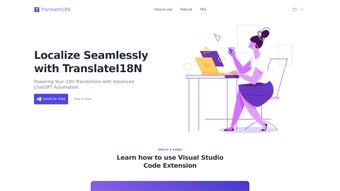

Download TranslateI18N – AI‑Powered Translation Extension for Visual Studio
Overview
TranslateI18N is a cutting‑edge Visual Studio extension that brings artificial‑intelligence translation directly into the developer’s IDE. Built on top of OpenAI’s ChatGPT technology, the tool automates the internationalization (i18n) workflow, turning raw resource files into culturally‑aware, production‑ready strings with a single click. Whether you are creating a Windows desktop app, a .NET web service, or a cross‑platform solution that runs on macOS, Android, or iOS, TranslateI18N streamlines the process of preparing your UI for global audiences.
The extension supports batch uploads of .resx, .json, .po, and other common i18n formats, then intelligently segments each document to maximize translation accuracy while respecting context. A notable advantage is its local operating mode: developers can run the translation engine inside Visual Studio Code without sending any data to the cloud, guaranteeing privacy for proprietary codebases. Real‑time streaming translation also enables instant feedback while you type, making it possible to adjust wording on the fly.
In short, TranslateI18N removes the manual, error‑prone steps of traditional localization, allowing developers to focus on building features instead of juggling spreadsheets and external translators. The extension is free to download, receives regular updates, and integrates seamlessly with the existing Visual Studio UI, appearing as a new “TranslateI18N” pane in the Solution Explorer. By combining AI accuracy, batch processing, and a secure local mode, TranslateI18N positions itself as the go‑to tool for any development team that wants to expand its global reach quickly, securely, and cost‑effectively.
Key Features and Capabilities
- AI‑Driven Translation Engine: Leverages ChatGPT’s deep language models to deliver nuanced, context‑aware translations that go beyond word‑for‑word substitution.
- Intelligent Document Segmentation: Automatically breaks large resource files into logical chunks, ensuring that each segment is translated with the appropriate tone and terminology.
- Batch Processing & Streaming Mode: Upload dozens of files at once for bulk translation, or enable streaming to see translations update in real time as you edit.
- Local Operating Mode: Run the translation engine entirely offline within Visual Studio Code, keeping proprietary strings private and complying with strict data‑security policies.
- Multi‑Format Support: Compatible with .resx, .json, .po, .xliff, and plain‑text key/value formats, making it suitable for .NET, JavaScript, Python, and many other ecosystems.
- Culture‑Specific Adaptation: The AI recognizes regional idioms, date formats, and measurement units, delivering translations that feel native to each target market.
- One‑Click Export: After translation, export the localized files back into your project structure with preserved folder hierarchy and naming conventions.
- Version‑Control Friendly: Generates diffs that can be directly committed to Git, allowing teams to review changes and maintain a clear audit trail.
- Secure API Key Management: If you choose cloud translation, the extension stores your OpenAI API key in the Windows Credential Manager or macOS Keychain, never in plain text.
- Regular Updates & Community Support: The development team releases monthly patches, and a public forum provides tips, sample pipelines, and troubleshooting assistance.
These features collectively make TranslateI18N a versatile tool for any software development lifecycle. The AI engine not only speeds up the translation of UI strings but also reduces the risk of cultural missteps that can harm brand perception in foreign markets. By supporting both batch and streaming workflows, the extension adapts to the pace of your team—whether you prefer a quick “translate‑all” before a release or continuous localization as new strings are added. The local mode is especially valuable for enterprises that must keep source code behind a firewall; developers can still enjoy AI assistance without exposing sensitive data to external services. Finally, the seamless export and version‑control integration mean that the translated assets become a natural part of your CI/CD pipeline, enabling automated testing of localized builds and ensuring that every release is truly global‑ready.
Installation, Usage & Compatibility
Step‑by‑Step Installation
Installing TranslateI18N is straightforward and requires no additional prerequisites beyond a supported version of Visual Studio (2019 or later) or Visual Studio Code (1.60+). Follow these steps:
- Open Visual Studio and navigate to Extensions → Manage Extensions.
- Search for “TranslateI18N”.
- Click Download and then Install. The IDE will prompt you to restart to complete the installation.
- For Visual Studio Code, open the Extensions sidebar (Ctrl+Shift+X), type “TranslateI18N”, and click Install. No restart is required, but reloading the window ensures the pane appears.
Getting Started with a Project
Once installed, a new “TranslateI18N” pane appears in the Solution Explorer. To translate a set of resources:
- Select the folder containing your i18n files (e.g.,
Resources/). - Click Upload Files and choose the desired language(s) from the drop‑down list.
- Choose either Batch Mode for a full‑scale translation or Streaming Mode to watch each string update as the AI processes it.
- If you prefer maximum privacy, toggle the Local Mode switch. The extension will spin up a lightweight inference container on your machine, using the same ChatGPT model without external calls.
- Review the generated translations in the preview window. Inline editing is supported; any changes you make are saved instantly.
- When satisfied, click Export. The extension writes the localized files back to the original directory structure, preserving naming conventions such as
en-US.resx,fr-FR.resx, etc.
Operating System Compatibility
TranslateI18N runs on the following platforms:
- Windows 10, 11 (64‑bit) – native integration with Visual Studio 2019/2022.
- macOS 12 Monterey and later – compatible with Visual Studio for Mac and Visual Studio Code.
- Linux distributions (Ubuntu 20.04+, Fedora 34+) – supported through Visual Studio Code’s cross‑platform extension host.
The local AI engine utilizes Docker (or Podman on Linux) to host the inference container, so Docker Desktop must be installed on Windows/macOS, while Docker Engine is required on Linux. Cloud mode works without Docker, simply requiring an active internet connection and a valid OpenAI API key.
System requirements are modest: a modern CPU (Intel i5 / AMD Ryzen 5 or better), at least 8 GB RAM, and 500 MB of free disk space for the extension and its temporary translation cache. For large‑scale batch jobs (thousands of strings), a machine with 16 GB RAM and SSD storage will provide smoother performance.
Pros, Cons & Frequently Asked Questions
Pros
- AI‑driven translations that understand context, reducing post‑edit effort.
- Local mode ensures data never leaves the developer’s machine.
- Supports a wide range of resource file formats.
- One‑click batch processing accelerates large localization projects.
- Seamless integration with Git for version‑controlled localization.
- Free to download with optional paid premium features (e.g., priority cloud compute).
Cons
- Initial AI model download for local mode can be several hundred megabytes.
- Highly specialized domain terminology may still require manual fine‑tuning.
- Streaming mode may experience slight latency on older hardware.
- Requires a valid OpenAI API key for cloud translation, which incurs usage costs.
Frequently Asked Questions
Is TranslateI18N really free?
The core extension is free to download and use. Cloud translation consumes OpenAI API credits, which are billed separately. Local mode runs completely offline and does not incur any additional costs.
Can I translate into languages that are not yet supported by ChatGPT?
ChatGPT currently supports over 95 languages with high quality. For rare languages, the extension falls back to a rule‑based translator, which may require extra post‑editing.
How does the local mode keep my source code secure?
In local mode the AI inference runs inside a Docker container on your own machine. No network traffic leaves the host, and the container is sandboxed, ensuring that proprietary strings never touch external servers.
What happens if I need to update a translation after a release?
You can re‑open the translated file in the TranslateI18N pane, edit the original source strings, and re‑run the translation for the affected language only. The extension creates a diff that can be merged into your existing localization branch.
Does TranslateI18N support continuous integration pipelines?
Yes. The extension can be invoked via a command‑line interface (CLI) that integrates with Azure Pipelines, GitHub Actions, or GitLab CI. This allows automated translation of new resource files during each build.
After extensive testing, we rate TranslateI18N 4.5 out of 5. The AI quality and local privacy mode are standout features, while occasional latency on older machines and the need for manual tweaking of niche terminology keep it from a perfect score.
Conclusion & Call to Action
TranslateI18N bridges the gap between rapid development and global market readiness. By embedding a powerful AI translator directly into Visual Studio, it eliminates the tedious back‑and‑forth with external localization services, cuts translation costs, and accelerates time‑to‑market for multilingual products. Whether you are a solo indie developer looking to launch in Europe, a startup targeting Asia, or an enterprise needing strict data compliance, the extension’s blend of cloud intelligence and local privacy gives you the flexibility to choose the workflow that best matches your security and budget requirements. The free tier provides ample capability for most projects, while premium cloud compute options are available for high‑volume enterprises.
Ready to make your application speak every language? Download TranslateI18N now and experience AI‑driven localization without leaving your IDE. Remember to enable local mode for maximum security, and keep an eye on the monthly update notes to take advantage of new language packs and performance improvements. Your global audience is waiting—let TranslateI18N be the bridge that connects your code to the world.



.png)



